
GRC Todo
Stop re-reading your whole task list.
Open GRC Todo and get a 2-sentence AI brief on what to focus on, what's overdue, and what to push back — before you touch a single task.
or continue with
- Free to use
- Bring your own AI key — you control the cost
- Tasks stay in your private partition
- Works offline (PWA)
Three steps to a calmer day
1
Brain-dump
Add tasks by voice or shorthand. Call Bob tomorrow #Work @Phone p1 just works.
2
AI briefs & triages
Each morning, AI writes your focus brief and proposes reschedules and priority bumps.
3
Commit to today
See exactly what matters, push the rest with one tap, and get on with your day.
Daily AI brief
Know what matters before you touch a task
Open the app to a 2-sentence brief: what to lead with, what's overdue, and what's safe to push. No more re-reading a wall of 40 tasks every morning.
FocusLead with the Q2 OKR draft — highest priority and blocks two others — then call the dentist before noon.
AI triage
Reschedule and reprioritize in bulk
Let AI propose the moves — bump what's urgent, push what isn't — then apply them all at once. Your backlog stays honest instead of piling up.
AI proposed 2 changes
Submit expense report→ P3
Pick up dry cleaning→ tomorrow
Capture fast
Get it out of your head in one line
Type or speak naturally — dates, folders, contexts, and priority are parsed inline, so capturing a task never breaks your flow.
Call Bob tomorrow #Work @Phone p1
tomorrow
#Work
@Phone
P1
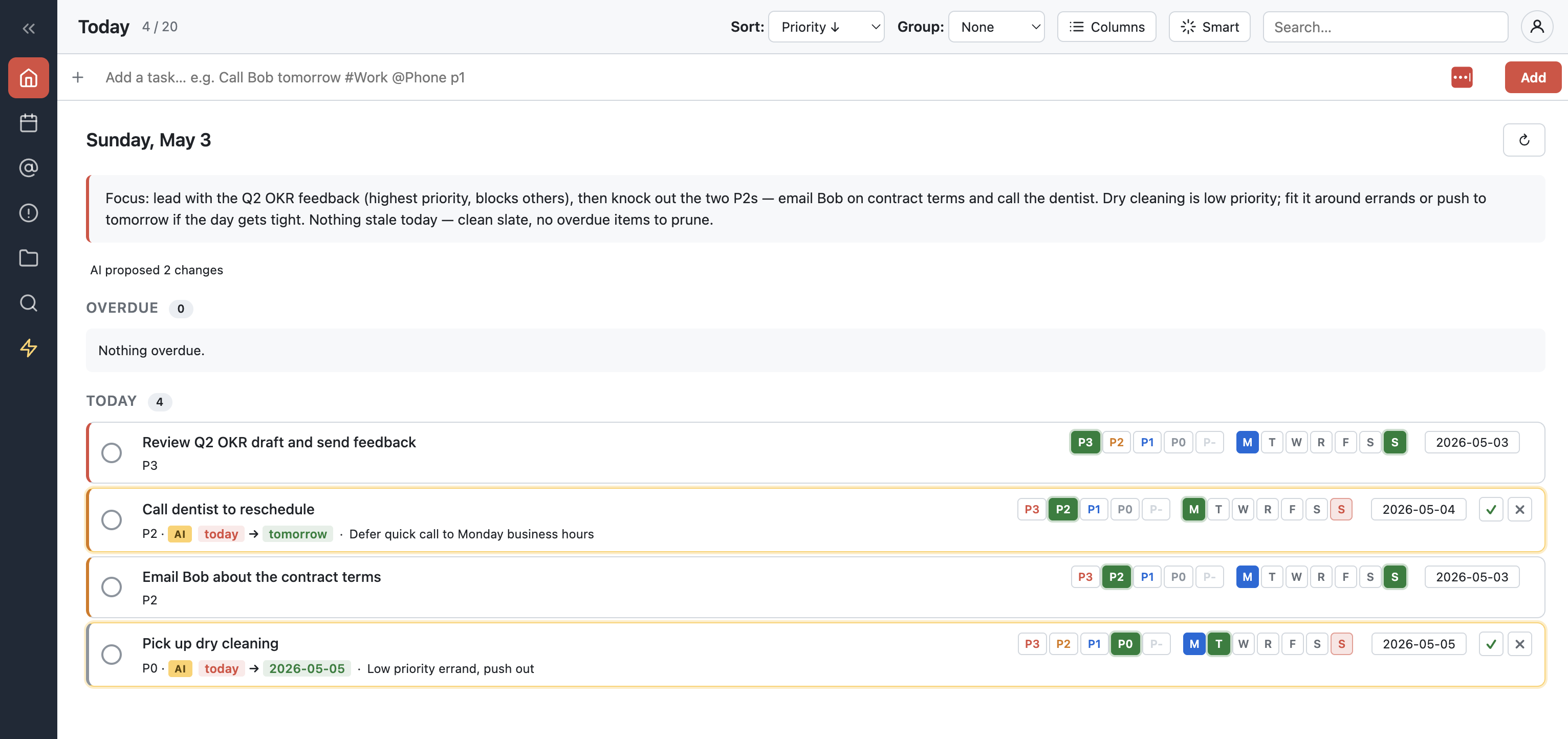
See your whole day at a glance
Brief on top, overdue and today's tasks below — with priority, context, and one-tap reschedule chips.
Ready to see today's brief?
Free to use, your own AI key, your tasks in your private partition.